Launching January 2027 · founding members from late October

Wedding album design software
with client proofing and galleries

Give your client a gallery to pick their favourites, turn them into an album in one click, and send it to page through and approve on a phone, tablet or computer.

20 founding members: free until launch, then 40% and 30% off.
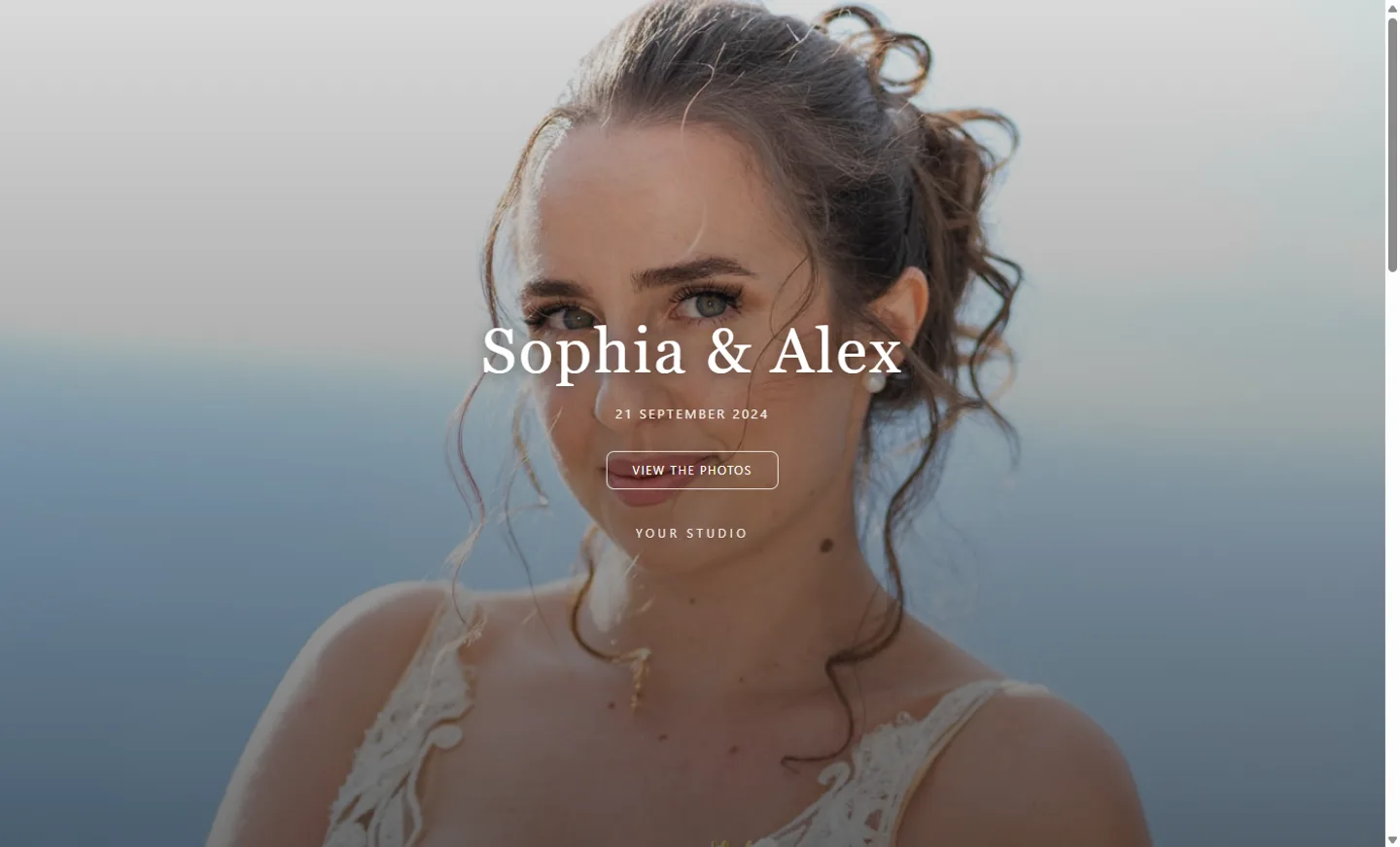
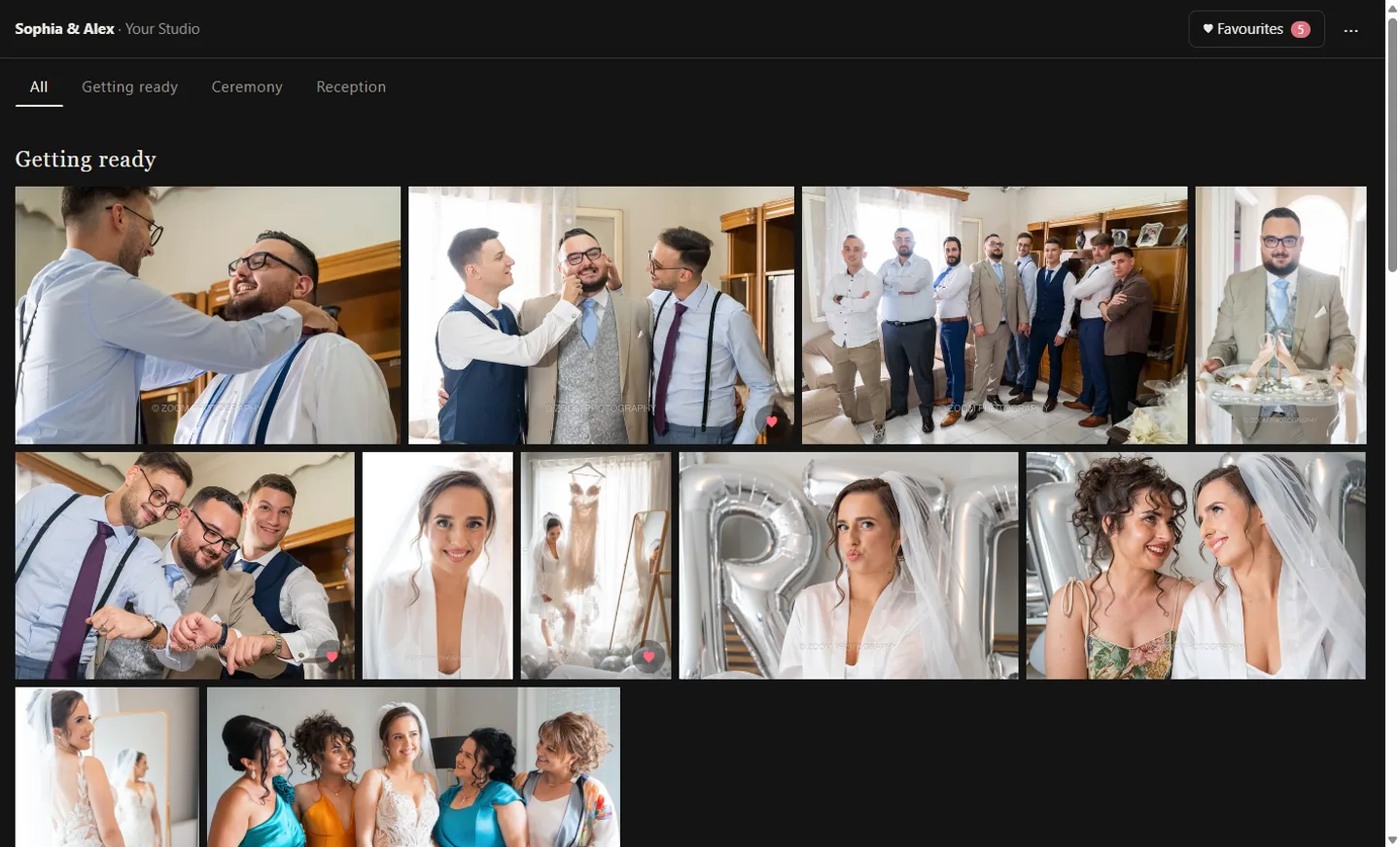
Client gallery for photographers: a wedding gallery cover
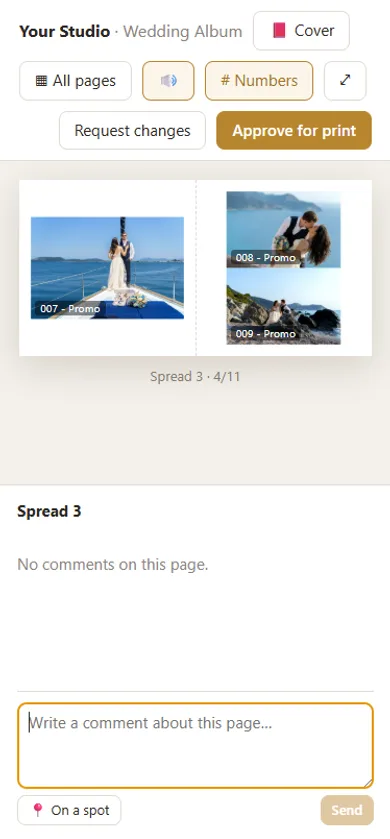
Online album proofing: the client pages through the wedding album on a phone
In 50 seconds

See how it works in 50 seconds

From the gallery to the approved album: the couple’s favourites, the album in one click, approval on the phone and files for your lab.

Digital Album Studio video: from the client gallery to the approved wedding album
Made by a wedding photographerBuilt in a working studio, for real deliveries
Your data stays in the EUPrivate client links that expire
Your lab’s templatesIts sizes, specs and PSD covers
On every devicePhone, tablet or computer, nothing to install
Galleries

Client gallery for photographers: clients pick, you build the album in one click.

  • Sections the way you like them: Getting ready, Ceremony, Reception…
  • Clients make as many collections as they like (for the album, for prints, for grandma) and leave notes on photos.
  • A collection becomes an album in one click. The full-resolution files go to your album folder and a new album opens, ready to design.
  • At your studio, you pick together with the client right in the app, with no accounts or passwords.
  • PIN protection, downloads when you allow them, fast images on phones.

Only want galleries, without the app? See Galleries only, from €9 a month.

Client gallery in sections, where clients pick favourites for the album
Album design

Auto album design for Windows: from photos to finished album, fast

  • Drop your photos on the timeline, cut them into spreads with a click and pick from dozens of layouts for every photo count.
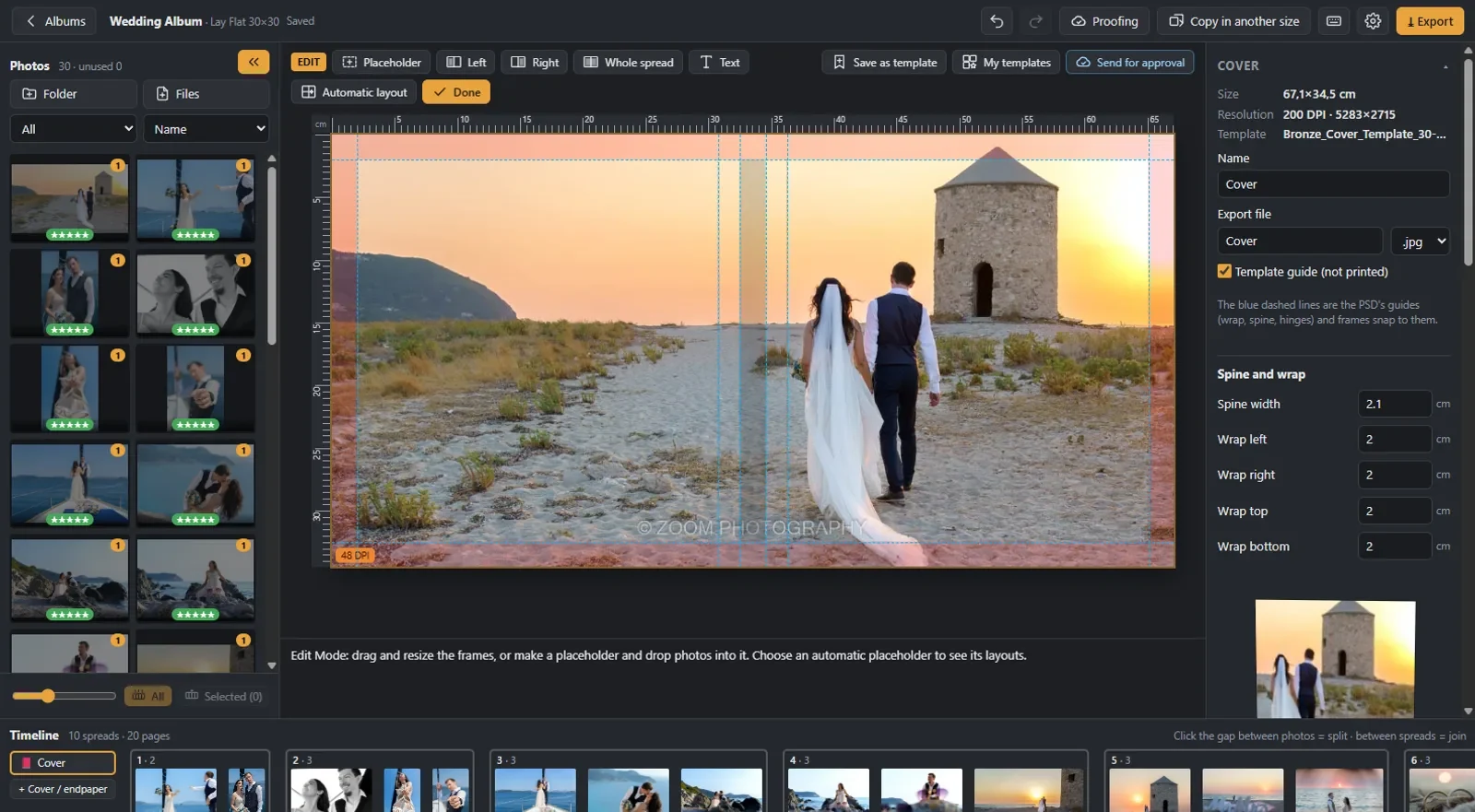
  • Covers and endpapers from your lab’s PSD templates, with the spine and wraps in the right place.
  • Free design with text, borders, opacity, soft fades, backgrounds and your own templates.
  • Open a photo in Photoshop with one key. When you save it, the album updates too.
  • Print-ready files for any lab in JPG, PDF or PSD, with resolution checks, and copies in other sizes (e.g. 20×20 for the parents).
Wedding album design software: designing the cover from the lab’s PSD template
Client proofing

Your clients page through the album
on any phone, tablet or computer

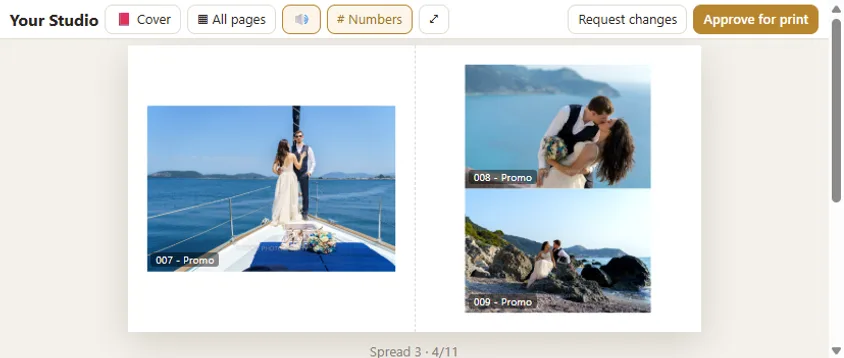
Online album proofing: most clients open the link on their phone, so the album was built for the phone first.

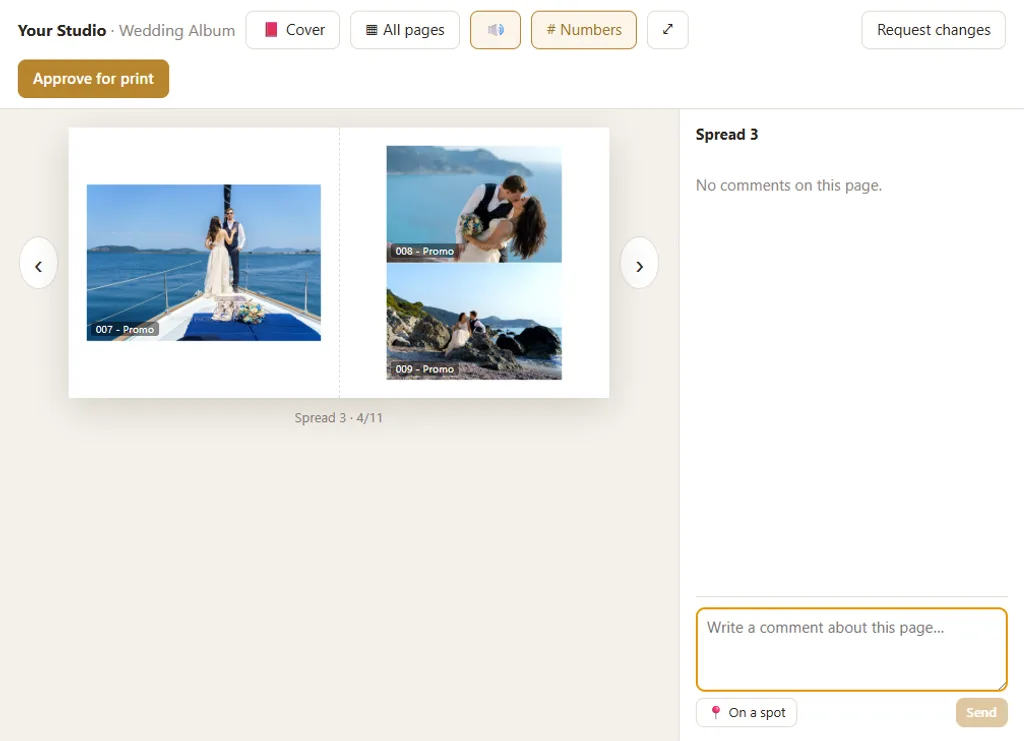
Album proofing on a tablet, like a real book
Album proofing on a phone
Album proofing on a phone held sideways

Like a real book

A 3D cover, page turns with sound, all pages at a glance.

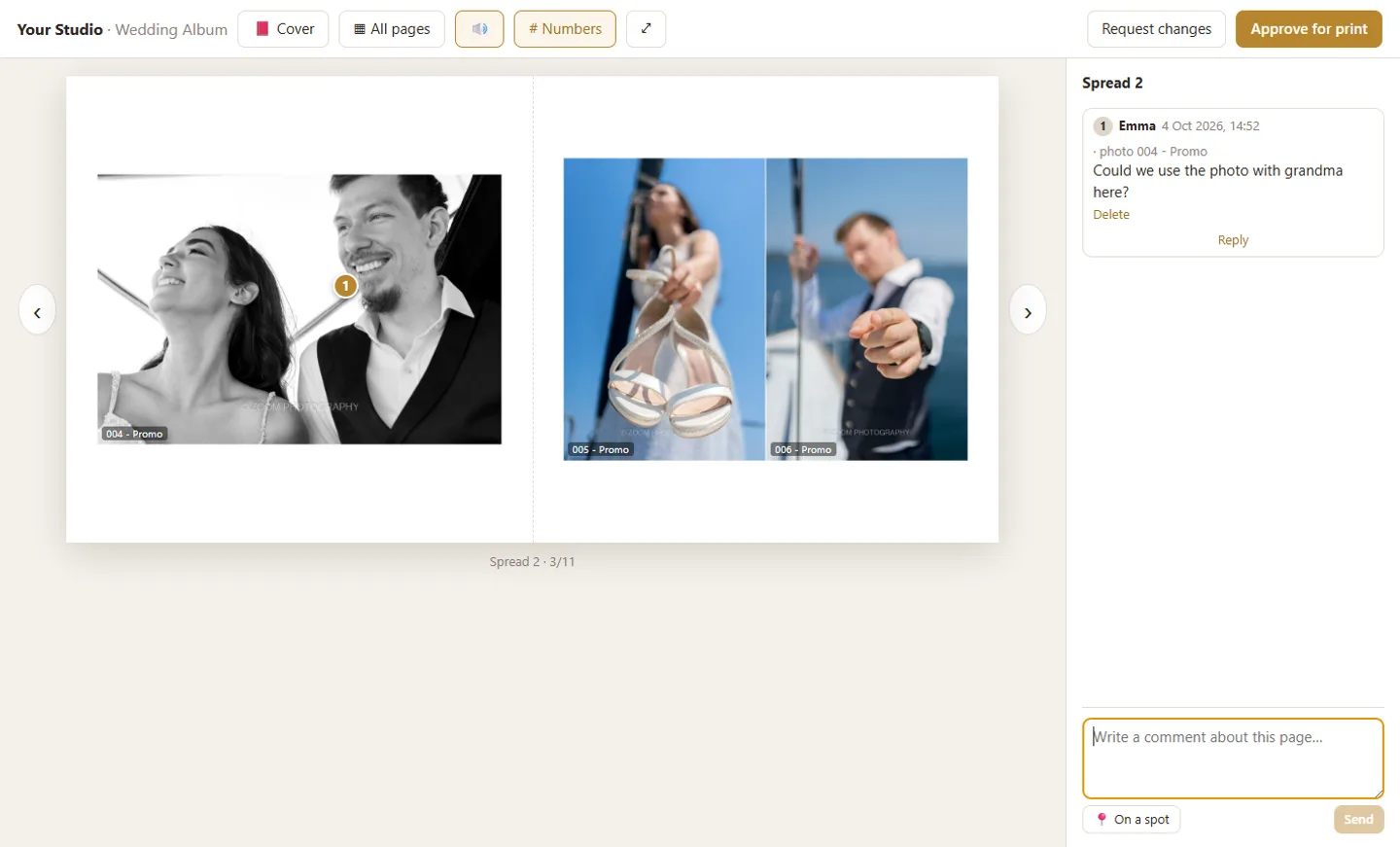
Comments on the photo

Clients pin a comment where they mean it; you see at once which spread and which photo.

Approval in one click

“Approve for print” or “Request changes”. New versions on the same link.

Email notifications

One summary of the comments per spread, no need to check the app every day.

Client comment pinned on a photo during album proofing
Compatibility

Works with what you already use

Digital Album Studio runs on Windows and fits the way you already work.

The workflow

From the shoot to the printed album

  1. 1

    Gallery

    Upload the photos in sections and send the link.

  2. 2

    Favourites

    The client picks at home, or with you at the studio.

  3. 3

    Album

    One click: the photos are in a new album. You design.

  4. 4

    Proofing

    The client reviews it anywhere, comments, approves.

  5. 5

    Print

    Export to your lab’s specifications.

Album design service

No time to design? We design it for you.

Wedding album design service for photographers, under your studio's name. Your client approves it online, you get print-ready files for your lab.

See the album design service
Who it is for

From professionals, for professionals

Made by wedding photographers, for wedding and event photographers and studios who deliver printed albums, alone or with a team. You keep your own lab, your own prices and your own name. Your clients see your studio’s name and logo.

Early access

Be one of the first

The public launch is in January 2027. Our 20 founding members start at the end of October 2026: free until launch, then 40% off the first year and 30% off for as long as they stay, with every beta and early access version and everything new we add. In return they tell us what they think, so we build it the way you need it.

20 founding spots only

Founding discounts apply to any plan you choose, for as long as your subscription stays active. If the spots are taken, send your request anyway: we will write to you personally. Plans and prices are on the pricing page.

Practical guides for photographers, in the order of the work: from the gallery to the approved album.

  1. The photos are ready: how to send them to your client to choose
  2. How to send photos to clients without losing quality: gallery, WeTransfer or Google Drive?
  3. How many photos in a wedding album, and how many spreads?
  4. How to design a wedding album: step by step, from your client’s favourites to the file for your lab
  5. Digital wedding albums: what they are, and how your client sees and approves the album online

All guides →

Questions

What is the best album design software for photographers?

The one that covers your whole workflow, not only the layout. Compare four things: how fast it builds spreads from your client’s picks, whether it uses your lab’s own templates and specs, how clients review and approve the album, and whether galleries and album live in the same place. Digital Album Studio does all four in one app.

Can it design a wedding album automatically?

Yes. Drop the photos on the timeline and they are laid out on spreads automatically, with layouts for every photo count. You change any spread by hand, and a collection your client picked becomes a new album in one click.

Can clients approve the album on their phone?

Yes, on any phone, tablet or computer, with no app and no login. They page through it like a real book, comment on a photo and approve with one tap.

How many photos do I need for a wedding album?

A 20-spread wedding album holds 50 to 65 photos at their best. When the couple chooses more, propose extra spreads: 100 photos usually sit well on about 30. Let the couple pick their favourites in the gallery first. Our full guide: how many photos in a wedding album.

Can you design the album for me?

Yes. Our album design service designs it under your studio’s name, your client approves it online and you get print-ready files for your lab.

Which computers does it run on?

The design app runs on Windows; a Mac version is planned. Your clients install nothing: they just open a link, on any device.

Does it work with my lab?

Yes. You set your lab’s sizes and specifications and use its own PSD templates for covers and endpapers.

Where are the photos stored?

Your originals stay on your computer. Only images for viewing go to the cloud. They are private, stored on servers in the European Union and opened through links that expire.

How much will it cost?

Standard costs €17 a month (€170 a year) and Plus €29 a month (€280 a year). Prices are final, with no extra charges, and plans start at the launch in January 2027. Our 20 founding members use all of Plus free until then, then get 40% off the first year and 30% off for as long as they stay. Details on the pricing page.

Which languages?

English, Greek, German, Italian, French and Spanish. Client pages open in your client’s language automatically.

What does “beta” mean?

That it is already used for real work, but keeps improving with your feedback and may still have small issues.